![CR circle transparent background white inside.png]](https://help.classreach.com/hs-fs/hubfs/CR%20circle%20transparent%20background%20white%20inside.png?height=40&name=CR%20circle%20transparent%20background%20white%20inside.png)
This article lists and describes the new ClassReach Reports. For a description of how to pull all ClassReach Reports, including the new type, see the Reports Overview article.
The new reports available are listed below along with their ClassReach tier. Additional reports are planned and will be listed on the monthly Release Notes. Some will have their own article as need dictates.
All Schools
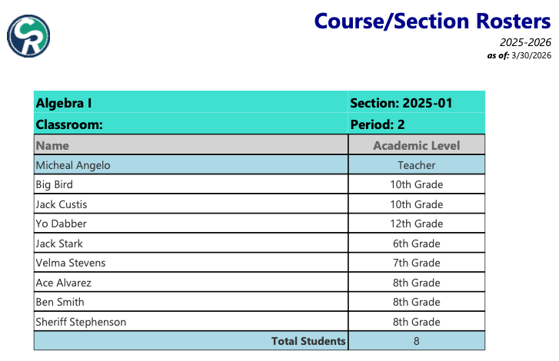
- Course Section Rosters - rosters of each section with teachers and students
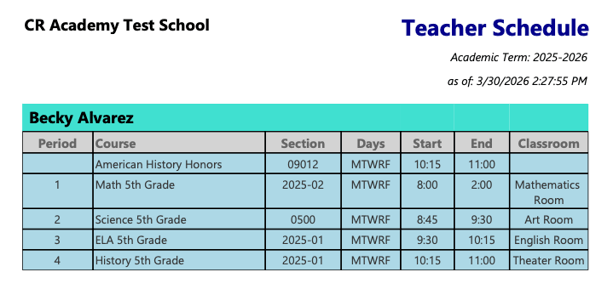
- Teacher Schedule Report - a report of Teacher Schedules by Academic Term, similar to the Student Schedule
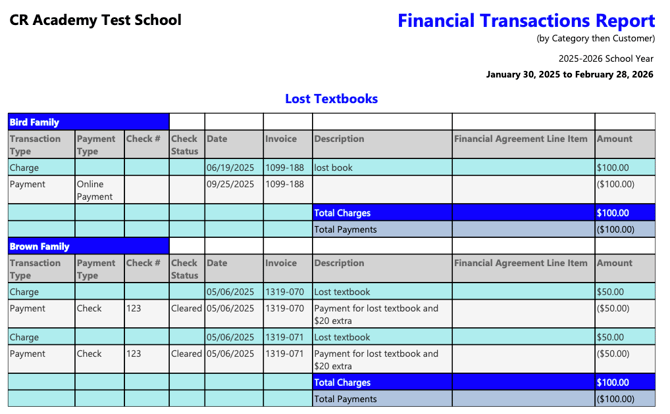
- Financial Transaction Report - by Category then Customer (compressed) - a detailed transaction report including financial account(s), category(s) and customers. The format is compressed for fewer pages.
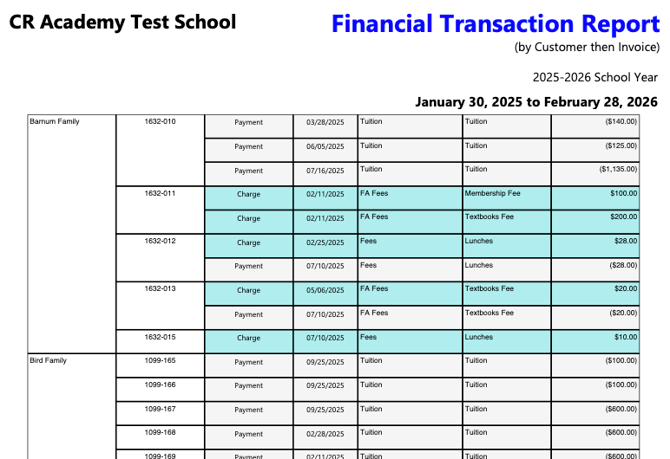
- Financial Transaction Report - by Customer then Invoice (compressed) - a detailed transaction report including organized as titled. The format is compressed for fewer pages.
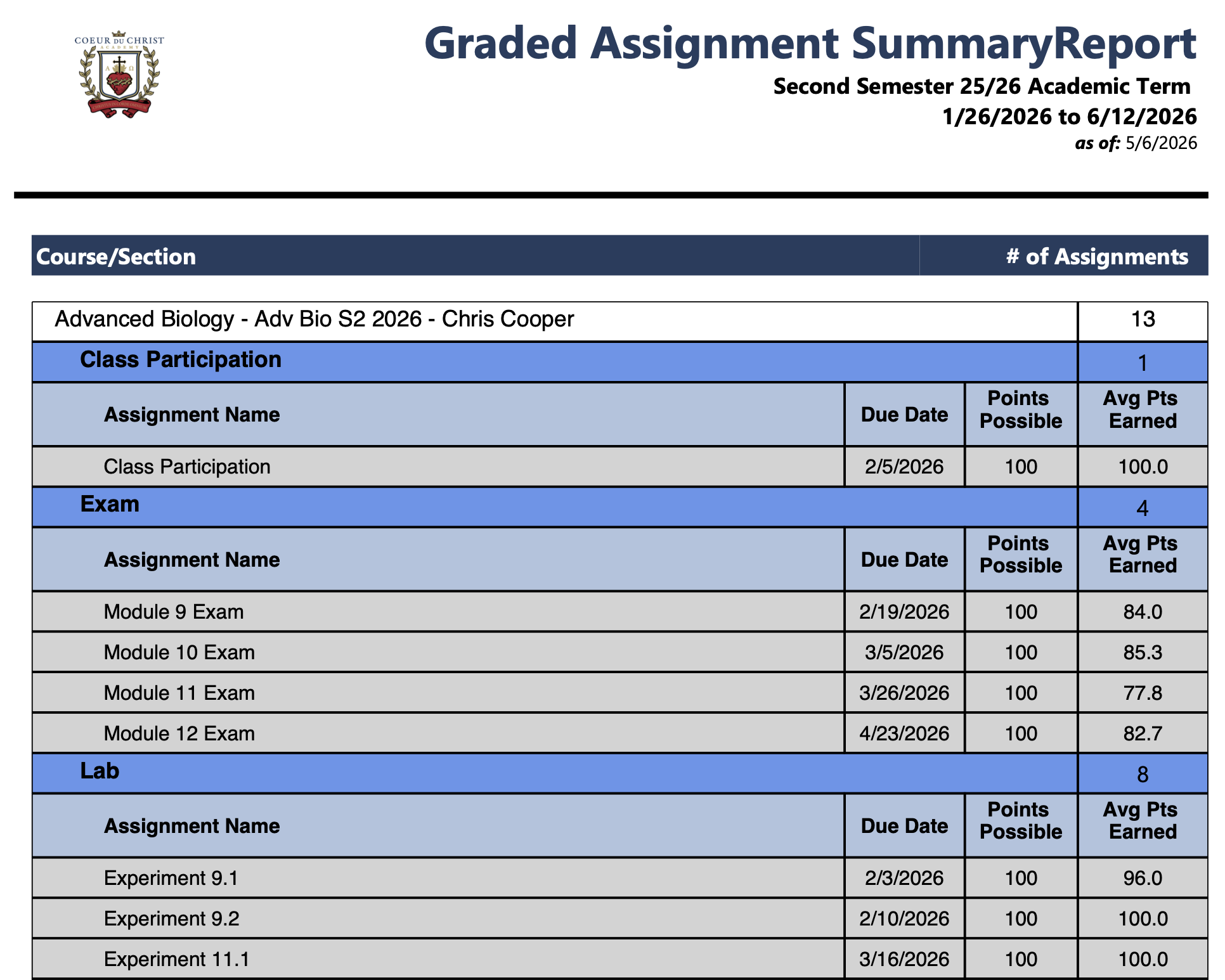
- Graded Assignment Summary Report - All Assignments for selected Course(s) in a selected date range with totals, categories and details
Basic Tier and Above Schools
- Customer Detailed Invoice and Receipt Report -Produce detailed Invoices/Receipts for a Financial Customer in a selected date range
- Financial Transaction Report - by Category then Customer (formatted) - a detailed transaction report including organized as titled. Report is formatted with total charges/payments by customer in each category.
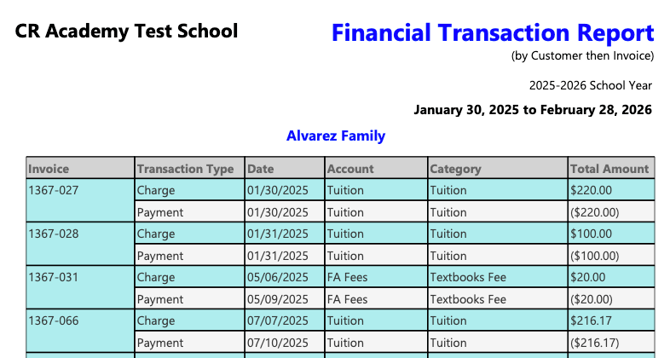
- Financial Transaction Report - by Customer then Invoice (formatted) - a detailed transaction report including organized as titled. Formatted page break on customer.
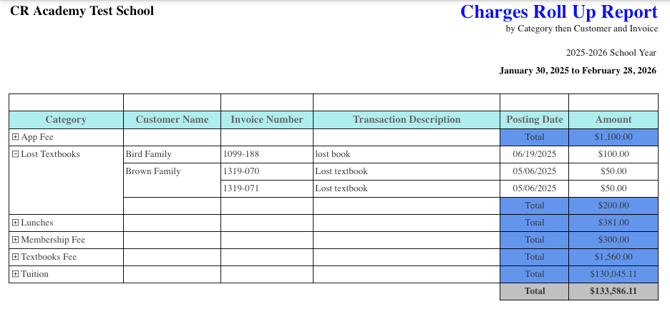
- Financial Transaction Report - Charges Roll Up - a detailed report than shows total charges by Category for a set date range. The report initially displays as compressed by category and is expandable to details by family.
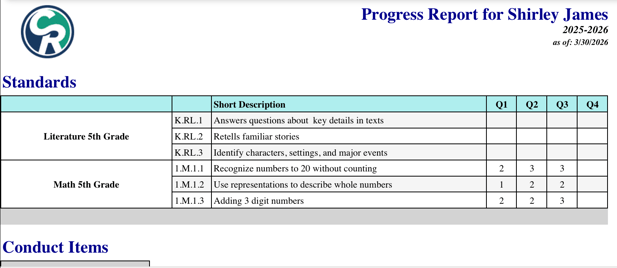
- Progress Report - SBG-Only Sections - this report is available for schools using Standards-Based Grading. It displays a full Progress Report for all students that are enrolled in SBG sections and only for SBG sections. It shows the students' Standards, Conduct Items, Comments and Attendance, but does not display any Grades or Graded Items.
Course Section Rosters
This report will create a one page roster all the sections in the selected Academic Term and include the following information:
- Course Name and Section Number
- Classroom
- Period
- Teacher's Name(s)
- Students' Names
- Students' Academic Levels
-
Total Number of students in the section
Teacher Schedule Report
The Teacher Schedule report allows the admin to produce all the teacher schedules for a selected Academic Term with the following information:
Financial Transaction Reports
The Financial Transaction Reports give admins access to detailed information on each financial transaction and the various reports present them in different ways. The title of the report indicates how the information is presented.
by Customer then Invoice
The formatted report returns a separate page(s) for each Customer and lists the transactions sorted by Invoice. The compressed report uses less pages, but doesn't have specific page breaks.
If you see payments without charges or vice versa, it's likely due to the date range you select. A transaction must be posted in the date range to show on the report.
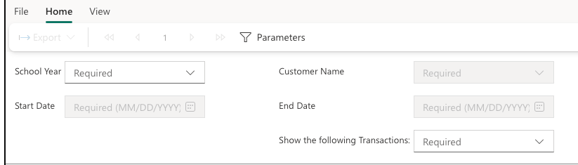
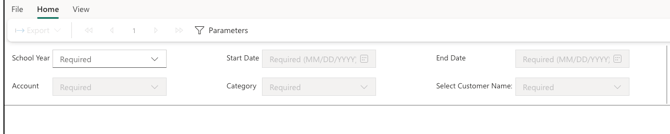
The parameters for this report ask for the following information. The last parameter, "Show the following transactions," is only available on the compressed report and allows you to filter to only show charges or payments.
Compressed
Formatted
by Category then Customer
These reports (Compressed and Formatted) return a separate page(s) for each Account Category and lists the transactions for each customer. The formatted report includes a total of charges and payments by category for each customer.
The parameters for this report ask for the following information with the option to Select All for the last three parameters.
Compressed
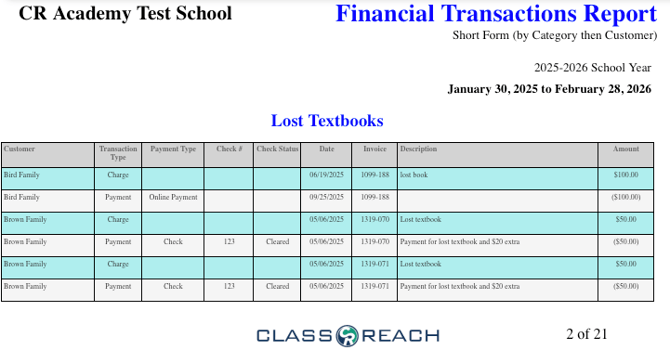
Formatted
Charges Roll Up
This report rolls up all the transactions to total the charges in each category and sums the total charges for the year. If you click the + on the left side in the web view, it will expand the category to include each customer and their individual charges.
Progress Report - SBG-Only Sections
This report is a Progress Report (same Progress Report format as the regular Progress Report) for Standards-Based Grading Courses. Instead of showing the grade averages for each course, it will show a table of the standard markings. This report does not show grades.
Graded Assignment Summary Report
This report is for school leadership to be able to oversee the number of assignments that teachers are giving in a given date range. For example, if a school requires teachers to have 5 assignments in the gradebook per week. They can run this report to quickly check the numbers. The report also allows admins to break down the assignment numbers by category and to list the individual assignments in each category.
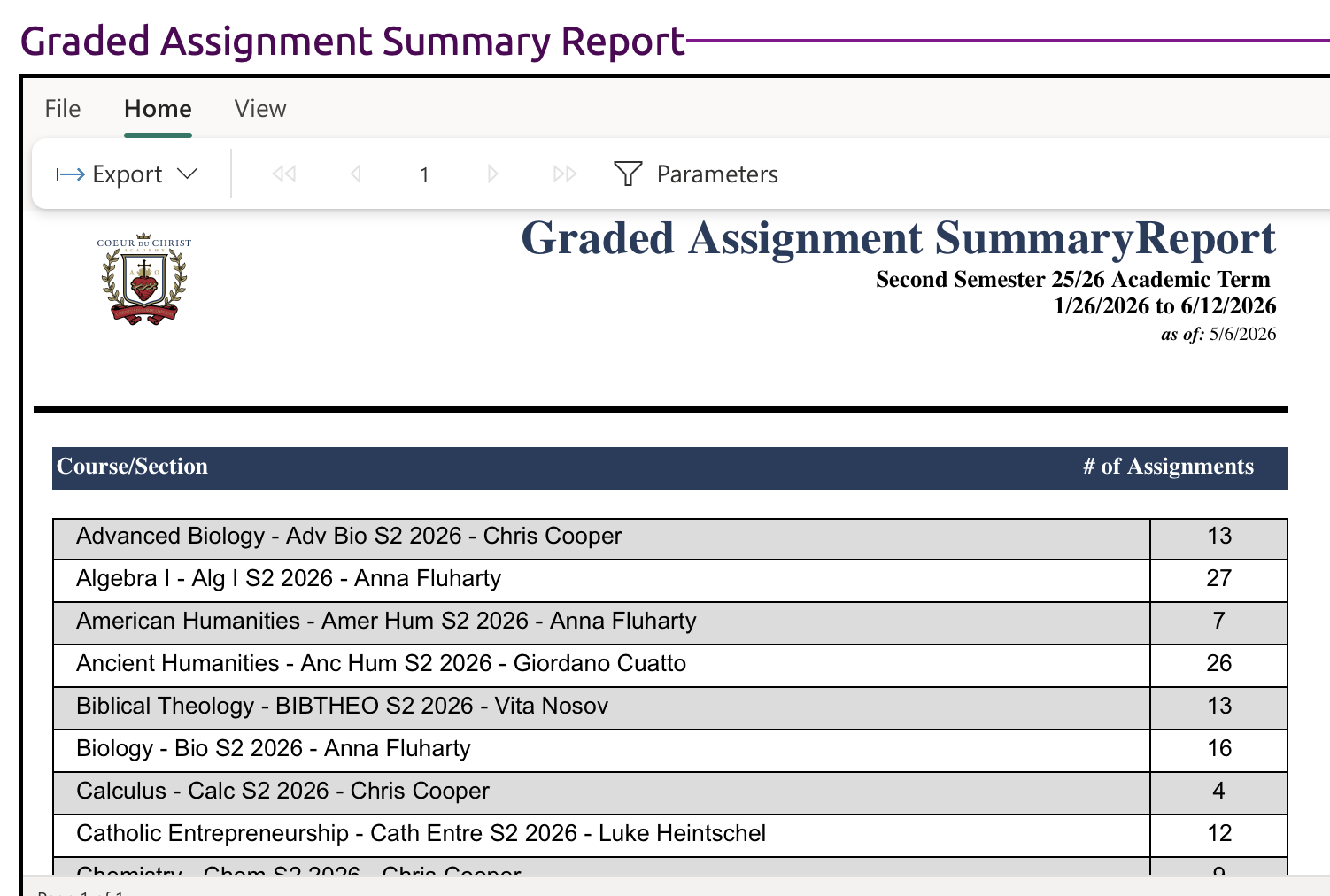
Here's the same report broken down by category and assignments