![CR circle transparent background white inside.png]](https://help.classreach.com/hs-fs/hubfs/CR%20circle%20transparent%20background%20white%20inside.png?height=40&name=CR%20circle%20transparent%20background%20white%20inside.png)
This report is available to Basic Tier and above schools.
It can be used for any invoice/receipt needs, but it was primarily designed to meet the requirements of state voucher programs and school's needing to provide a more detailed invoice/receipt.
The report allows the Admin to isolate invoices/receipts for a specific student. This does require the student to be listed on the original charge transactions. To completely isolate a student on an invoice (without siblings) you may need to change the way that you charge families including having a separate Financial Agreement for each student. Please contact ClassReach Support for assistance.
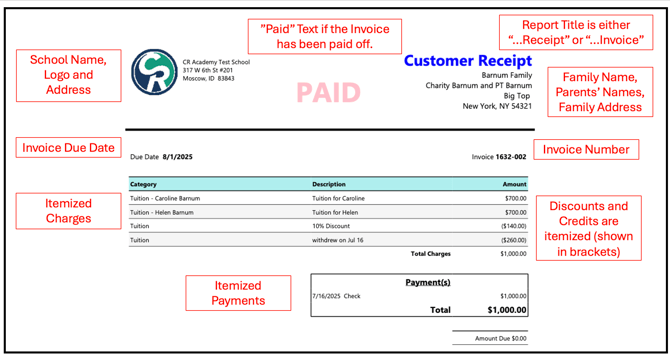
The Report produces a detailed invoice report that includes the following:
To run this report, go to Reports > +Report > Financials > Customer Detailed Invoice and Receipt Report
The date used for a Check Payment is the "Date Received." This is intended to be consistent with basic accounting principles.
Parameters
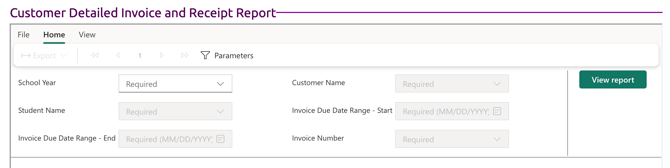
To run the report, enter the following parameters (all are required) and click View Report:
-
Select the School Year (Financial Year)
- Select the Customer Name - for most schools this is the family's last name
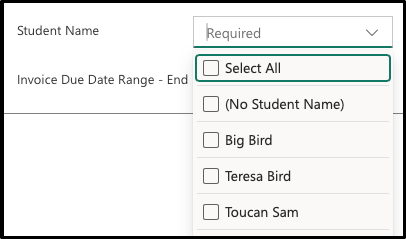
- Student Name - you have 3 options:
- Select All - includes invoices with/without student names
- (No Student Name)
- One or more Student Names
- Select the date range of invoices you want to see or print (within the specified school year). This will default to the following range - Aug 1 of the school year until <today>.
- Invoice Due Date Range - Start
- Invoice Due Date Range - End
- Invoice Number - you have two options:
- Select All
- One or more specific invoices
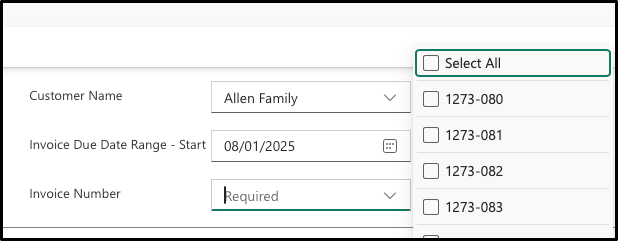
Menu Options
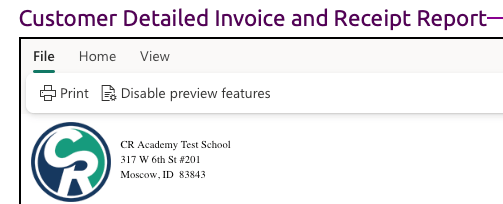
There are three Menu options - File, Home and View at the top of the Report window.
File
- Select Print to print the report
- Disable preview features - not used
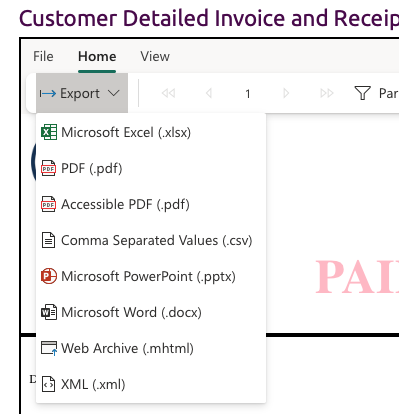
Home
- Export - gives you the below list of file type options to download the report
- Page Selector - allows you to select a specific page or page forward and backward through the invoices.
- Parameters - turns off the view of the parameter header to allow you to more easily view the report on the webpage.
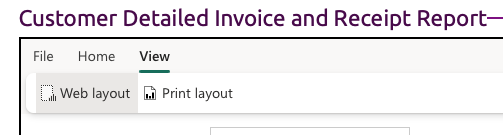
View
- Web Layout - default option for easier webpage viewing of the results.
- Print Layout - this shows you how the report looks on a page and also displays Page Settings next to it on the menu, which allows you to change the page size and the page orientation.