![CR circle transparent background white inside.png]](https://help.classreach.com/hs-fs/hubfs/CR%20circle%20transparent%20background%20white%20inside.png?height=40&name=CR%20circle%20transparent%20background%20white%20inside.png)
Forms Workflow Improvements
-
Added the workflow steps to the admin’s Item’s Requiring Attention view so you could easily see where in the workflow this form is at and what action needs to be taken.
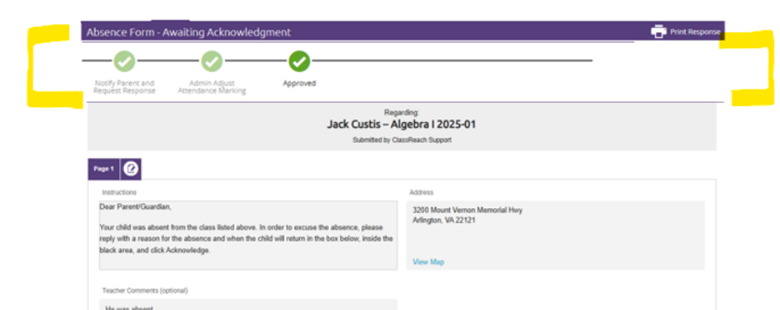
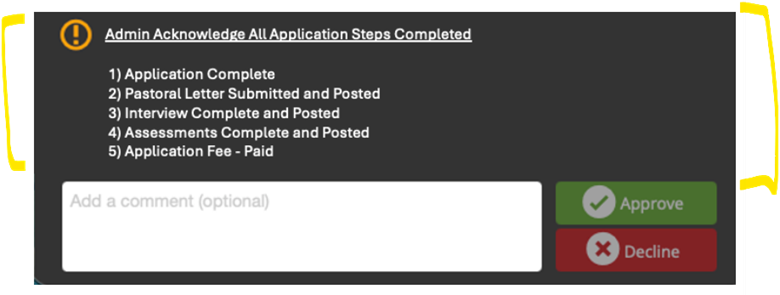
- Added the contents of an approval/acknowledgement email to the form workflow step so the approver has full context of what they are approving:
Gradebook settings – Added help text to better explain what each of the settings are as well as a link to the Knowledge article on the page so teachers / admins could easily access more information.
Lesson Plans – Provide a task completion link which brings up a list of students in the section and their status of completion for the task. This is a quick way for the teacher to see who still needs to complete a task.
Messages – Included all recipients on forwarded messages. Previously, when a ClassReach forwarded message came to your personal email, the other recipients were stripped off. We added those back in so users could see everyone who received the message.
Announcements – Adding help text that reminds admins that when they are editing an announcement that has already been sent out, if it included SMS Texts, those texts would NOT be sent again – once an announcement has issued a SMS text, it is finished. Should the admin want a text to go out, they should create a new Announcement.
Registration- Added the ability for admins to allow students to Opt Out of a registration cycle (for instance summer school) so that the Item Requiring Attention would drop off a family’s list if they chose to Opt Out.
More information on this option can be found in this knowledge article : Course Registration Part 1 - Creating/Editing the Registration Process
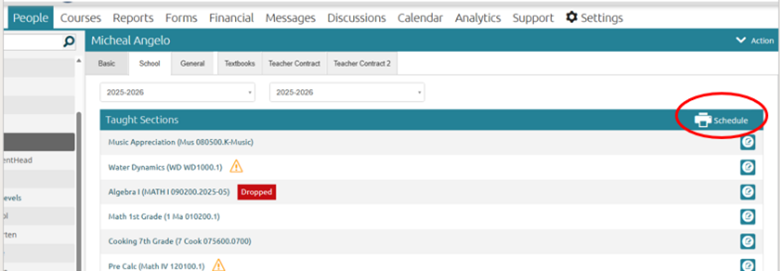
Teacher Schedules – We added the ability to print a teacher schedule to the admin view of the teacher’s School page!